
Track your habits with a GitHub-style heatmap calendar. See your consistency over weeks, months, and the full year in one simple visual view.
What is a GitHub-style habit tracker?
A GitHub-style habit tracker uses a contribution-style heatmap to show your habits over time. Each day becomes a small square, so you can see when you showed up, where you had gaps, and how your consistency changed across weeks, months, and the year.
Instead of only checking off today’s habit, you build a visual history of your routine. This makes it easier to spot patterns, slow phases, strong periods, and the habits you keep coming back to.
HabitHeat brings that visual style to personal habits like reading, meditation, workouts, writing, studying, deep work, or any routine you want to track over time.
See consistency
Quickly see when you showed up and how your routine developed.
Spot gaps and phases
Notice quiet weeks, strong periods, and changes in your rhythm.
Track progress visually
Turn small daily entries into a long-term visual habit history.
Why use a GitHub-style habit tracker?
Simple checklist
Good for checking off today, but it hides the bigger picture. You can’t easily see strong weeks, quiet months, or how your routine changed over time.
HabitHeat heatmap
Turns your entries into a visual calendar, so you can spot consistency, gaps, phases, and long-term progress at a glance.
A heatmap turns daily tracking into a visual history of your routine.
Track any habit in a GitHub-style heatmap
Simple tracking for different routines, goals, and habit types.
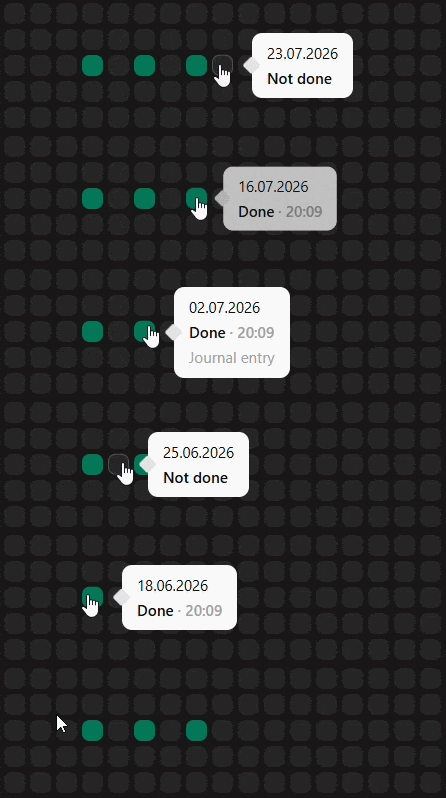
Done / Not Done habits
Mark habits as done or not done. Perfect for simple daily habits like workouts, meditation, or reading.
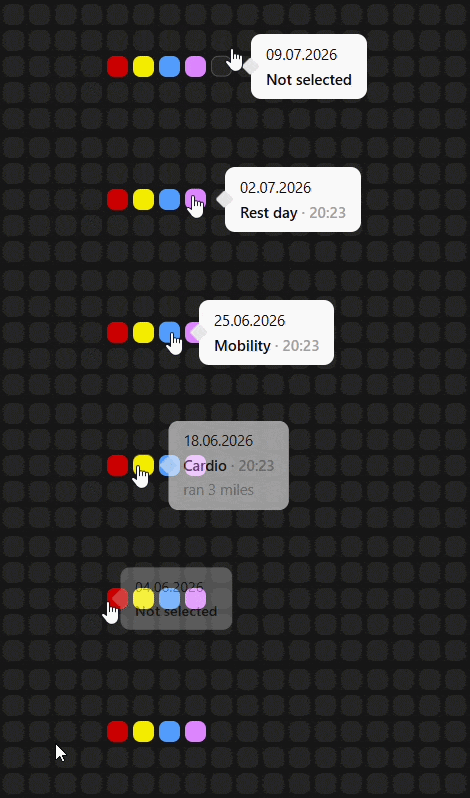
Options tracking
Track mood, focus, or energy with customizable options. Great for reflecting how your day actually felt.
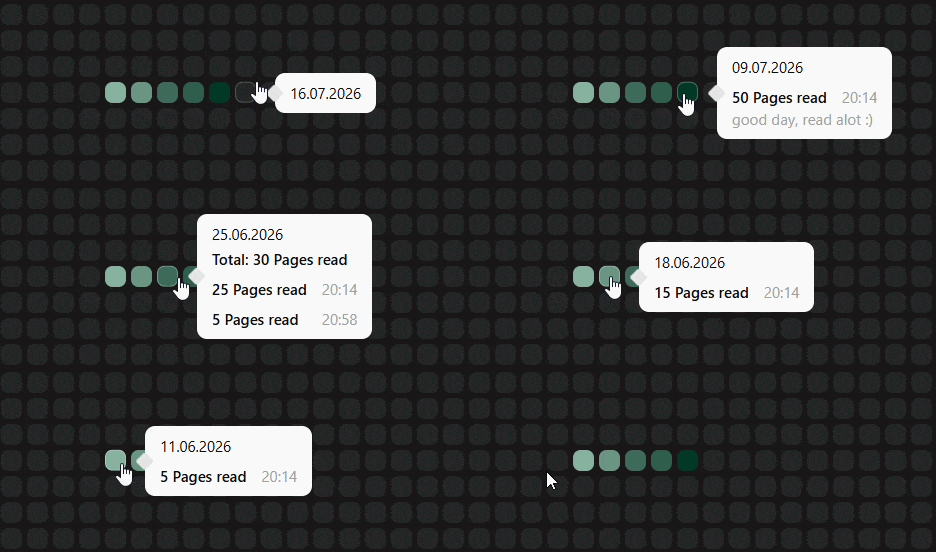
Number tracking
Track anything measurable. Log minutes, reps, pages, or custom values like study time or steps.
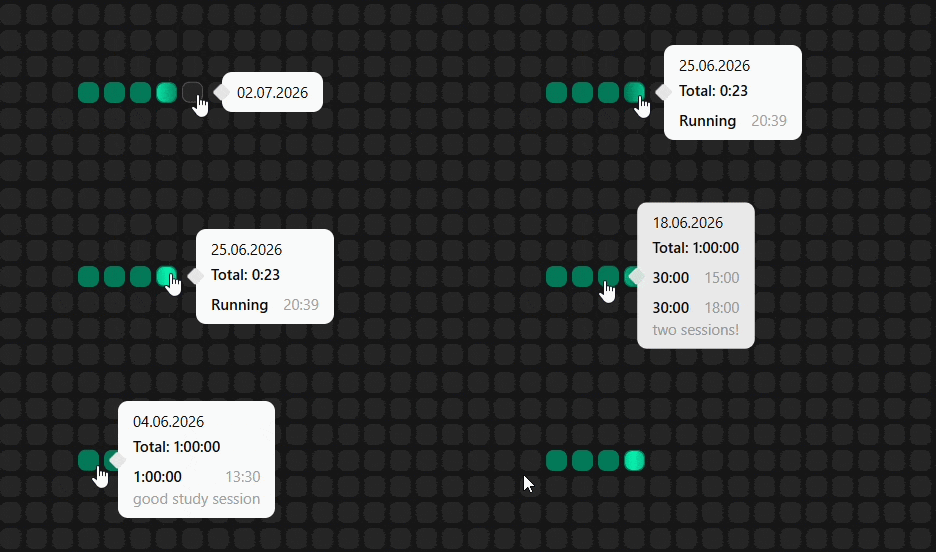
Timer tracking
Start and stop sessions to track real time spent. Ideal for deep work, meditation, coding, or focused study.
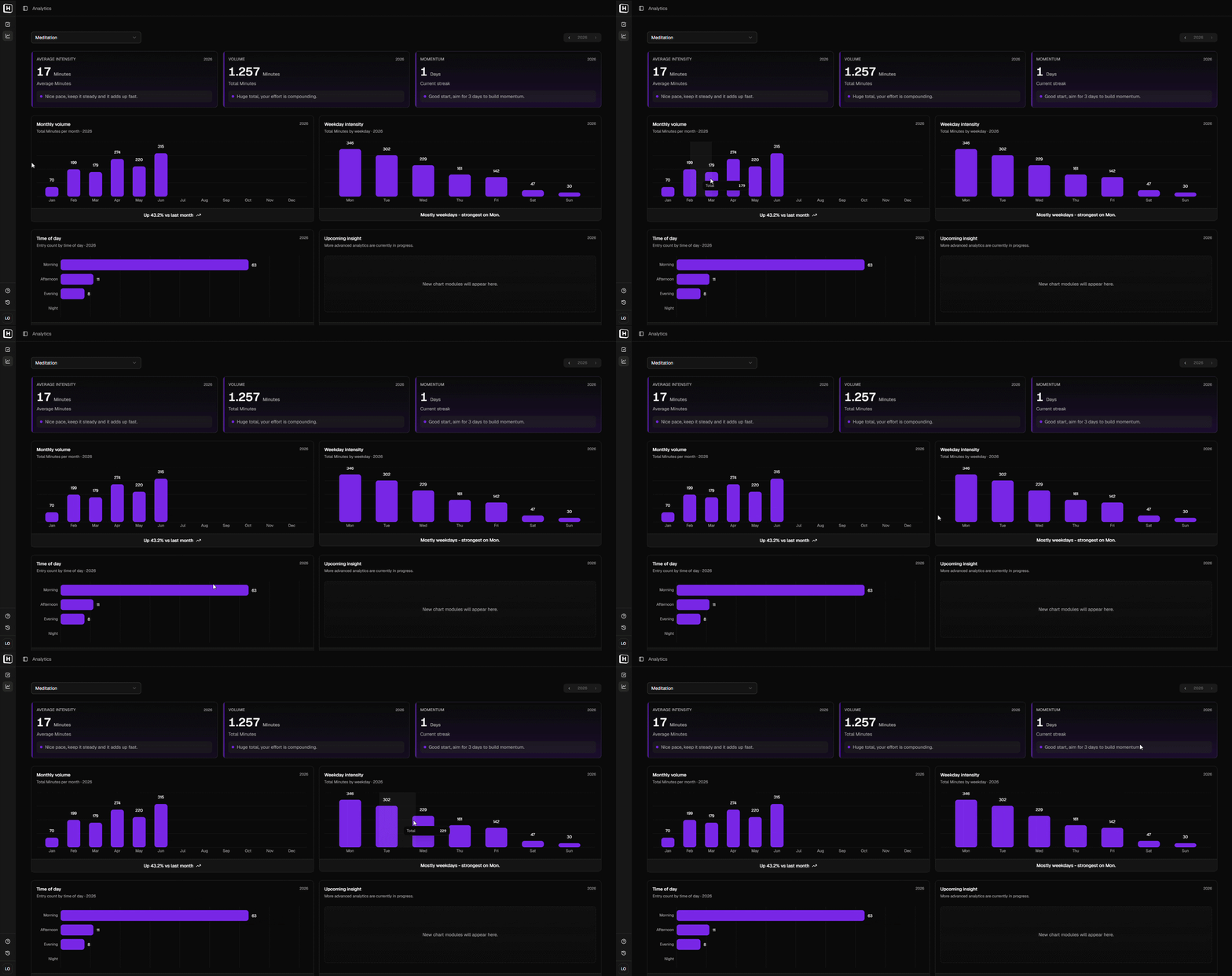
Habit analytics
See totals, averages, weekday patterns, and changes over time. Useful when you want to understand more than whether a habit happened.
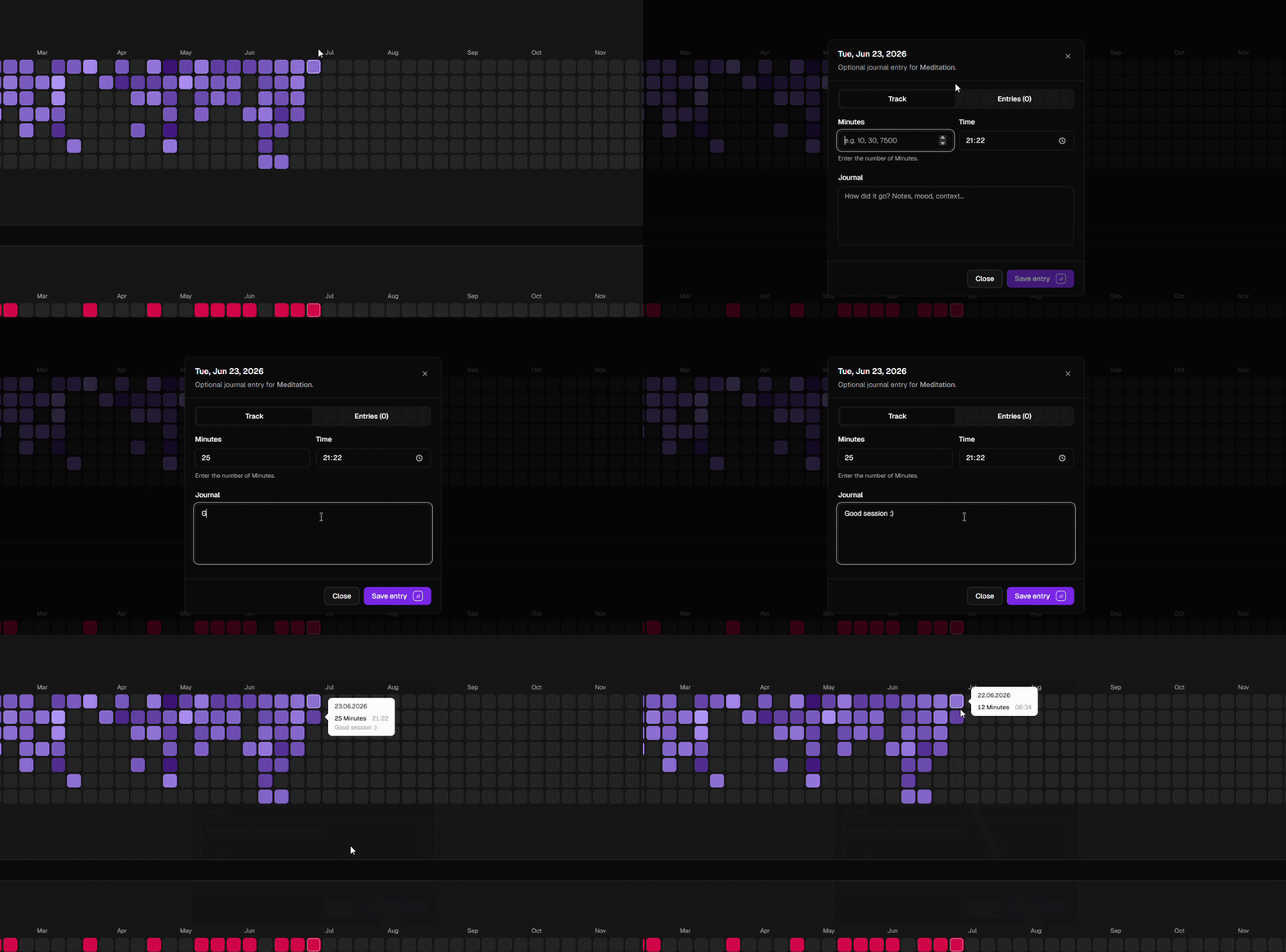
Journal entries
Add notes to your habit entries so your history keeps context, not just numbers. Useful for missed days, strong phases, or small reflections.
From daily entries to long-term patterns
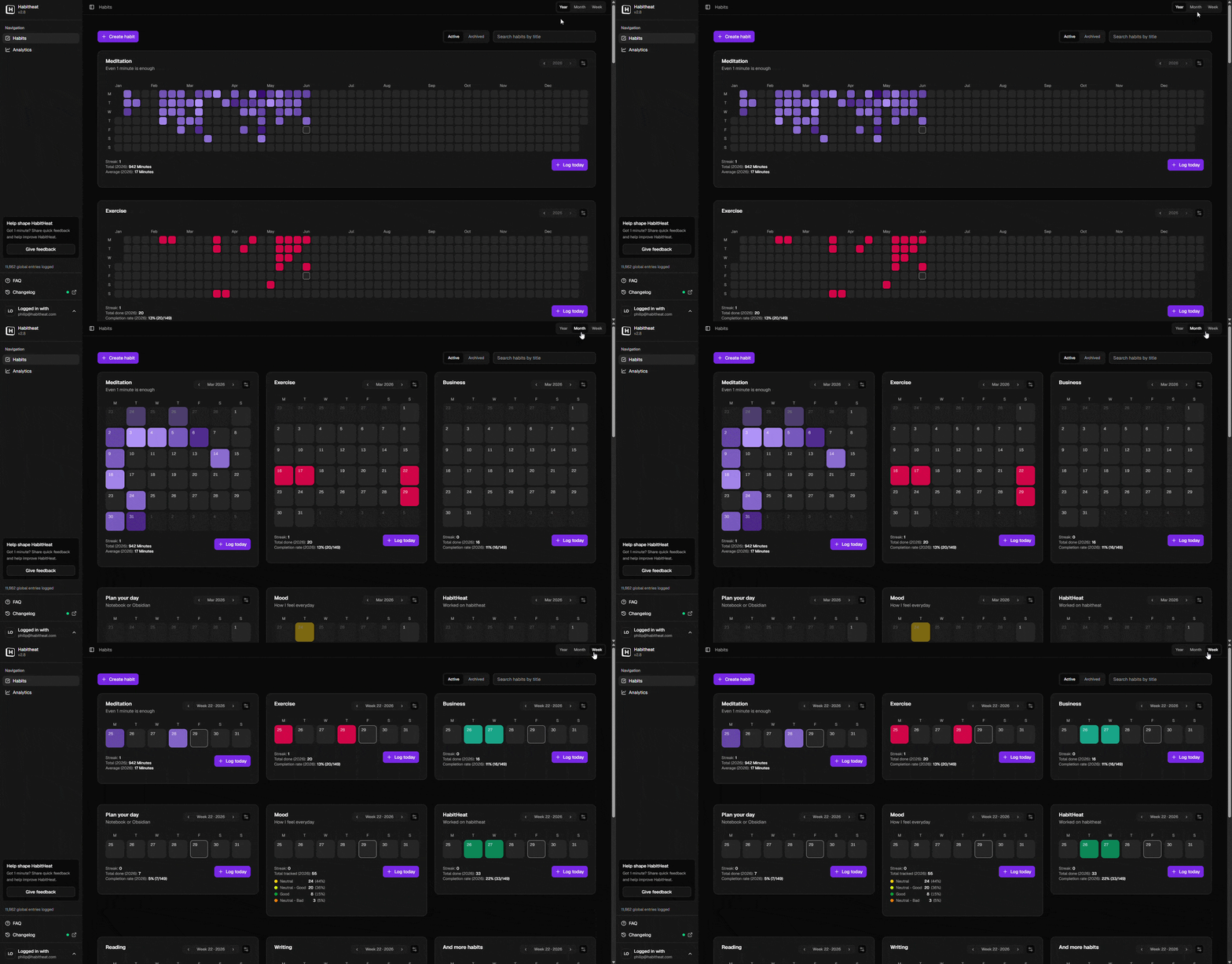
Track habits in a contribution-style overview
The habits overview is where your daily entries turn into GitHub-style heatmaps. Switch between year, month, and week views to see your routines from different distances: the full contribution-like calendar, recent phases, or the details of a single week. Each habit can have its own color, so your habit history becomes easier to recognize the longer you use it.
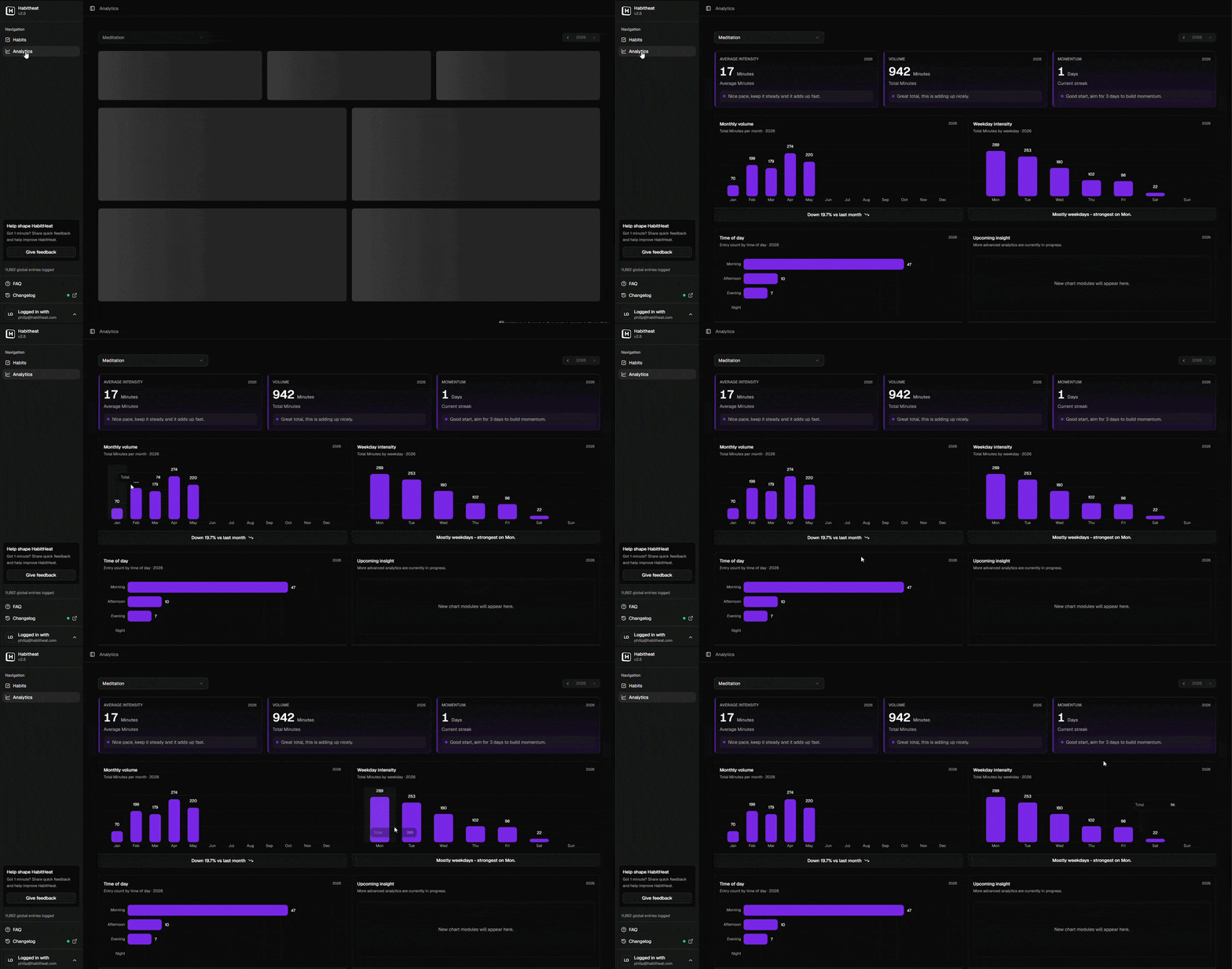
Understand the patterns behind your heatmap
Analytics help you look beyond the squares. See totals, averages, monthly volume, weekday patterns, time-of-day trends, and other signals that show how a habit actually fits into your life. Instead of only knowing whether you showed up today, you can look back and understand when you were consistent, where gaps appeared, and how your routine changed over time.
Frequently asked questions about GitHub-style habit tracking
A GitHub-style habit tracker is a habit tracker that uses a contribution-style heatmap to show your habits over time.
Instead of only showing a checklist for today, each day becomes a small square in a calendar-like view. When you log a habit, that day becomes part of your visual history. Over time, you can see consistency, gaps, strong periods, quiet weeks, and long-term patterns at a glance.
HabitHeat brings this visual style to personal routines like reading, meditation, workouts, writing, studying, deep work, or any habit you want to track over weeks, months, and years.
A GitHub-style habit heatmap works by turning daily entries into small calendar squares.
Each square represents a day. When you log a habit, the square becomes active. Depending on the habit type, the heatmap can show whether something happened, how much you did, how long you spent, or which option you selected.
This makes your routine easier to understand visually. Instead of only seeing isolated entries, you can look back and see how your habit developed across a week, month, or full year.
No. HabitHeat is not connected to GitHub and does not read or write GitHub data.
The term “GitHub-style” only describes the visual idea: a contribution-style heatmap made of small daily squares. HabitHeat uses that kind of visual layout for personal habit tracking instead of code contributions.
You can use HabitHeat even if you do not have a GitHub account.
Yes. HabitHeat is designed to give your habits a contribution-graph-like visual history.
You can create a habit, log entries over time, and watch the heatmap fill up as your routine develops. This works well for habits where consistency matters, such as deep work, reading, meditation, workouts, writing, studying, or practice.
Unlike a normal contribution graph, HabitHeat is built specifically for habits. You can use different habit types, add notes, view analytics, and switch between year, month, and week views.
Yes. HabitHeat supports more than simple checkbox tracking.
You can track done/not-done habits, number-based habits, options habits, and timer habits. This means you can log simple completions, pages read, minutes meditated, repetitions, study time, mood, energy, focus, or timed sessions.
The heatmap still gives you a visual overview, but the underlying habit data can be more flexible than a basic checklist.
Yes. You can create multiple habits and give them different colors.
This helps each habit become easier to recognize at a glance. For example, you could use one color for meditation, another for reading, another for workouts, and another for deep work.
Over time, each habit builds its own visual history. This makes it easier to compare routines and understand which habits you keep coming back to.
A normal checklist is useful for today, but it usually hides the bigger picture.
A heatmap shows how your habit behaves over time. You can see when you were consistent, where gaps appeared, which weeks were stronger, and how your routine changed across months or the year.
This is useful because habits are rarely perfect every day. A heatmap gives you a more forgiving and more honest view than a simple streak or checklist.
Yes. HabitHeat is free to use.
You can start tracking habits, build heatmaps, and use the core habit tracking features without paying. HabitHeat also has an optional Supporter plan for users who want to support independent development and receive small extra benefits over time.
Have more questions? Read the full HabitHeat FAQ.